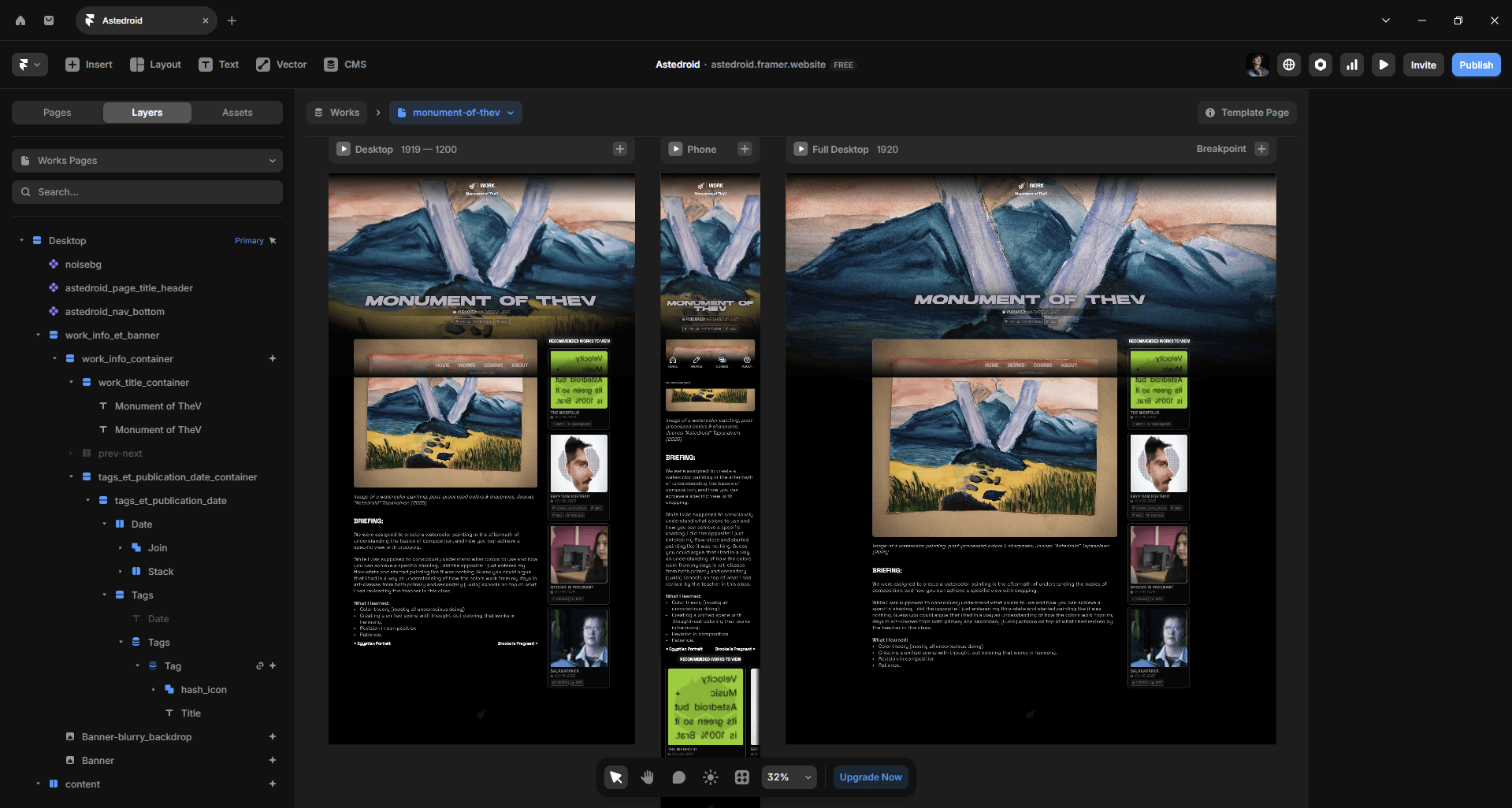
While not classified exactly as MAT-work, this portfolio, or rather webfolio, has been under development during the whole semester.
Also considering this webfolio is aiming to be a showcase website for the public eye, hence why I wrote this whole site ground-up with English in mind.
Before I started working on the portfolio, I had set myself a clear goal: to create a website-based portfolio that not only does look sleek and professional but also shows my personality through its design. To achieve this, I needed a tool that matched my vision. And for that, I chose Framer.
What framer?
Framer is a free to use website development platform powered by a web-development framework React.js that combines the best of both worlds: traditional code-based development and visual drag-and-drop like development. What truly sets Framer apart from its competition is its user-friendly UI (though a hassle on the first few times — realistically with any creative tool) and how it presents its tools and utilities. Also, the flexibility in creating custom components (imagine as packaged frames with your self-designed logic and intractability) and designs across your assets on the site which usually is thrown away for the sake of just creating a simple site and hitting publish on other platforms.
This is why Framer stuck with me as the ultimate tool for this portfolio project. Framer allows me to create a fully immersive website as I wanted.
What personally makes this project far more impressive is the fact that I studied framer all by myself, with the additional help of YouTube tutorials from a channel like Framer University and others that I can’t remember.
Also, I’d argue that my keen eye on visual design also helped me to create a comprehensible and unified web-design that makes sense.
The Webfolio
While the page has been developed throughout the first half of the MAT, the webfolio will be maintained and developed further as my studies continue, meaning that the current Work-in-progress page(s), Commissions & About remain under digital construction even after the initial vocational school demonstration discussion. For this reason, the about page will temporarily be replaced with a work-page.
For the portfolio, I chose a website based one. Why? While it took me a while to develop the page as exactly as I wanted, its result is far more satisfying than the far easier route I would have gone with a PowerPoint presentation.
A website, on the other hand, allows me to go beyond the design. It allows me to design its interactivity and the hidden psychological flair that you can’t really replicate on traditional slides.
All UI icons were provided from phosphoricons.com/, a free and open-source, licensed under MIT. SVG-icon library by Helena Zhang and Tobias Fried.
Features:
To provide the best experience for the user to interact with my webfolio, I had to start by thinking about the features in it. These are: (as of now)
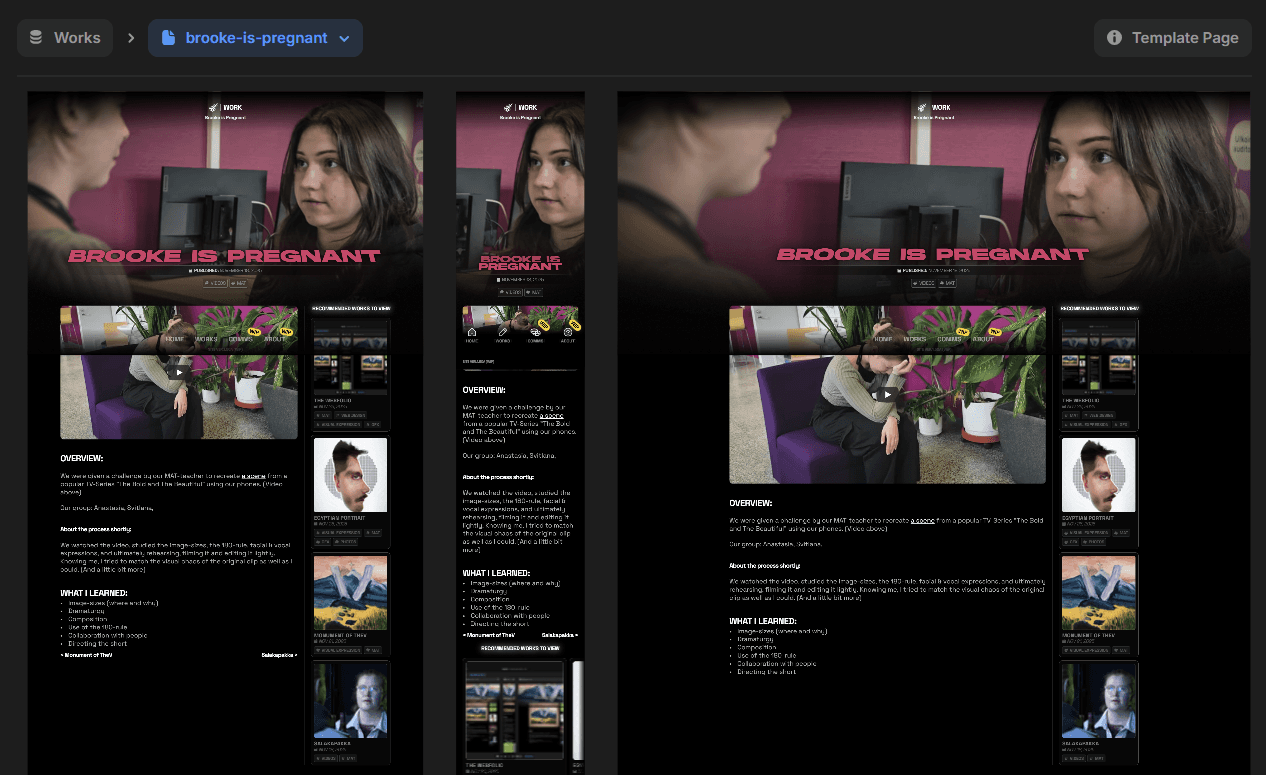
1. Dynamic Work Pages
The dynamic work pages allow the website to become dynamic and not having to manually create each work page separately. This is all thanks to the magic of a CMS, a.k.a Content Managing System. — All I essentially have is a self-made form in the backend (Framer Editor) where I then start filling the needed information into. This, once published, tells the system to create a corresponding site into the slug created from the title of the work. It works like magic, because it is.
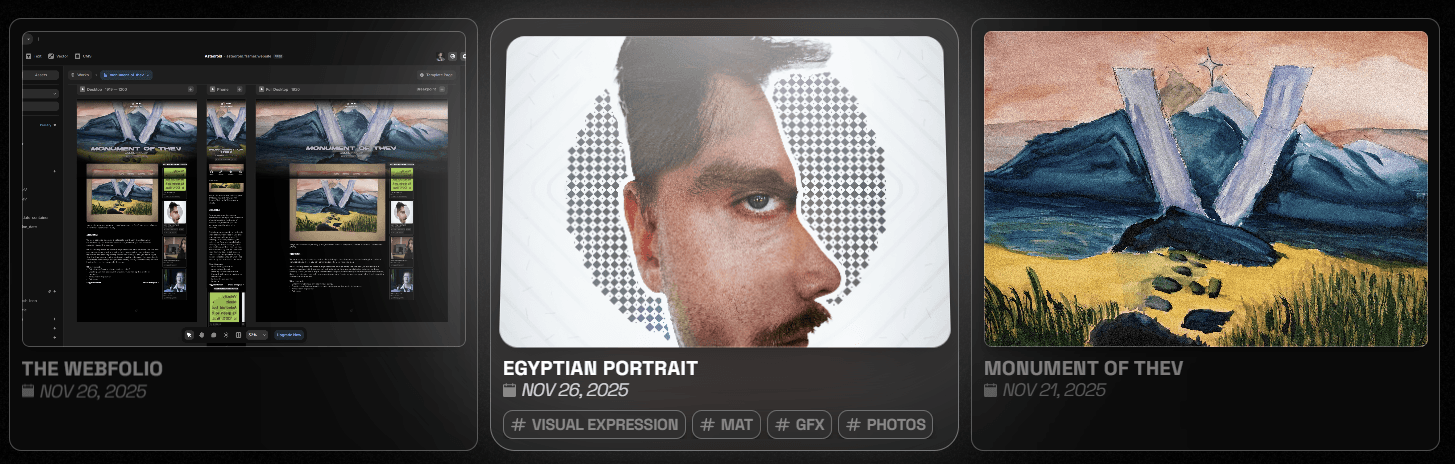
2. Work Tags
I’ve also decided to include Tags, not because they’re fancy, but because it allows me to improve the user experience by allowing the user to plow through my work with a set (or singular tag as of now) them to find the most useful information. Let’s say if a customer is looking into potentially hiring me, they can go through my work on the portfolio to determine whether they want to hire me.
Much like how social media works, this webfolio is designed to work similarly to that. You can either look at the available work(posts) directly or go through the tags to find the work that showcases my skills in that medium. — And also, tagging my work was the most natural thing to do.
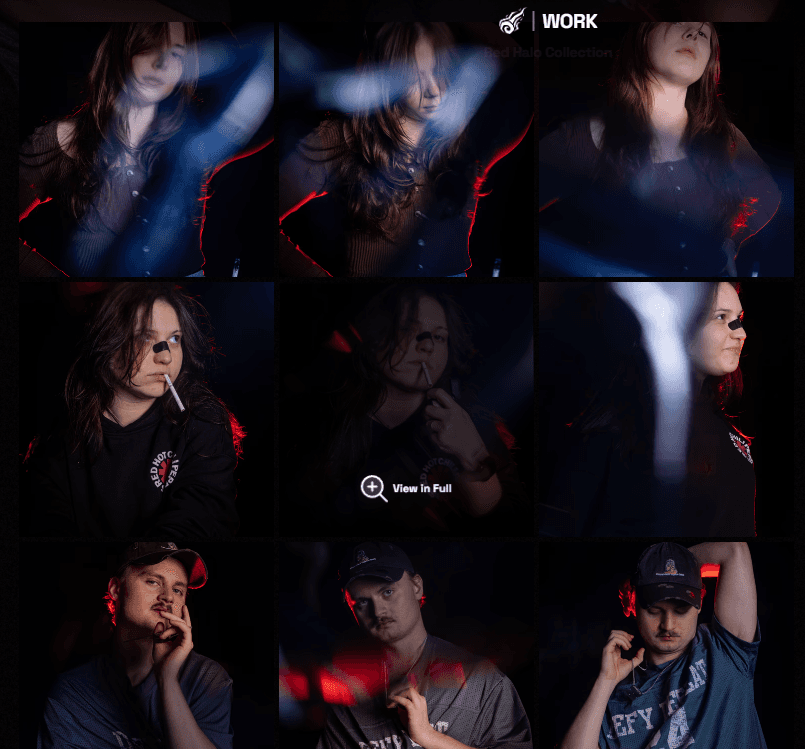
3. Gallery
In case a work includes more than one image, creating a gallery feature right into the site made much more sense. Let’s say if a work like [blank] is primarily consisting of more than one photo, a full-blown gallery is far better choice because it allows the user to see all the gallery collection’s items in one neatly organized work page alongside with the usual description and “what I learned” section.
The gallery feature, as one would think, includes the possibility for the user to click on the item to see it in full view and zoom on it by clicking on the image to see its details. It’s rather intuitive, isn’t it?
See the gallery in action here.
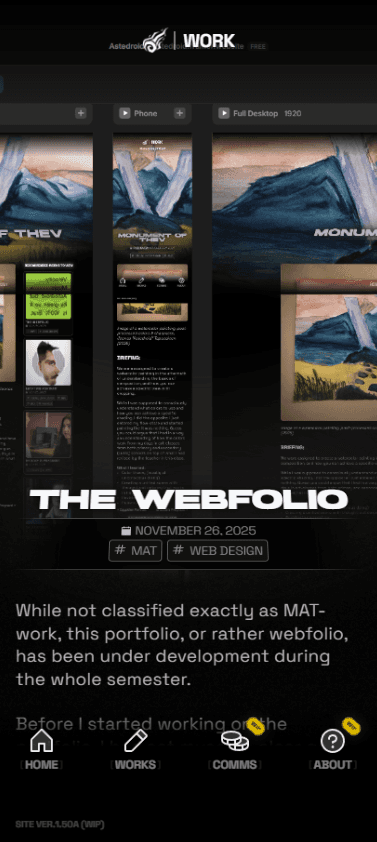
4. An intuitive Mobile experience that just — Makes sense.
This webfolio wouldn't make sense if it didn't include an accompanying mobile experience that reflects the familiar app-like feel: your usual navigation buttons on the bottom, the title on top, and all you need to reach, all with one finger, and in a way that feels comfortable to use! — Like, go give it a go yourself by pulling the same astedroid.framer.website on your phone!
In the end…
Because this webfolio will not only exist for the sole purpose of the MAT-course, but this will also be used for public use for future customers of mine and as a digital CV, because let’s be honest, why would I spend all my time dedicated to web design and how the site works for this single purpose.
Its also worth noting that this webfolio, as of late 2025 will most likely include visual hiccups or bugs here and there, and they will eventually be ironed out with the pages later on as my studies go forward.
What I learned?
How Framer works and how I can use its vast tools to achieve the needed goal
Responsive web design (Though still some visual bugs may occur, but will be eventually ironed out)
Creating a website that has been designed with mind
Asking for user feedback in terms of UI/UX (how easy it is for first-time-user to navigate through the site)
Also creating a responsive mobile view through an app-like experience (No need for uncomfortable reach for the top screen or second hand)